# Demos for LVGL
## Add the examples to your projects
1. demos can be found in the 'demos' folder once you clone the lvgl.
2. In the ***lv_conf.h*** or equivalent places, you can find demo related macros, change its value to enable or disable specified demos:
```c
...
/*===================
* DEMO USAGE
====================*/
/*Show some widget. It might be required to increase `LV_MEM_SIZE` */
#define LV_USE_DEMO_WIDGETS 0
#if LV_USE_DEMO_WIDGETS
#define LV_DEMO_WIDGETS_SLIDESHOW 0
#endif
/*Demonstrate the usage of encoder and keyboard*/
#define LV_USE_DEMO_KEYPAD_AND_ENCODER 0
/*Benchmark your system*/
#define LV_USE_DEMO_BENCHMARK 0
/*Stress test for LVGL*/
#define LV_USE_DEMO_STRESS 0
/*Music player demo*/
#define LV_USE_DEMO_MUSIC 0
#if LV_USE_DEMO_MUSIC
# define LV_DEMO_MUSIC_SQUARE 0
# define LV_DEMO_MUSIC_LANDSCAPE 0
# define LV_DEMO_MUSIC_ROUND 0
# define LV_DEMO_MUSIC_LARGE 0
# define LV_DEMO_MUSIC_AUTO_PLAY 0
#endif
...
```
3. If your development environment or toolchain does not add source files inside '***lvgl***' folder automatically, ensure the `demos` folder is included for compilation.
4. Include "***demos/lv_demos.h***" in your application source file, for example:
```c
//! main.c
#include "lvgl.h"
#include "demos/lv_demos.h"
...
```
## Demos
### Widgets
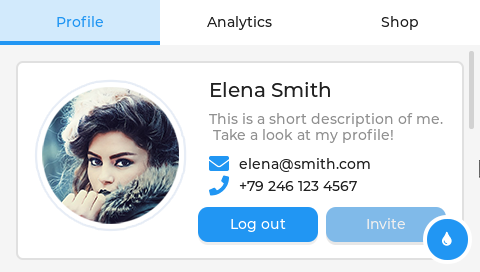
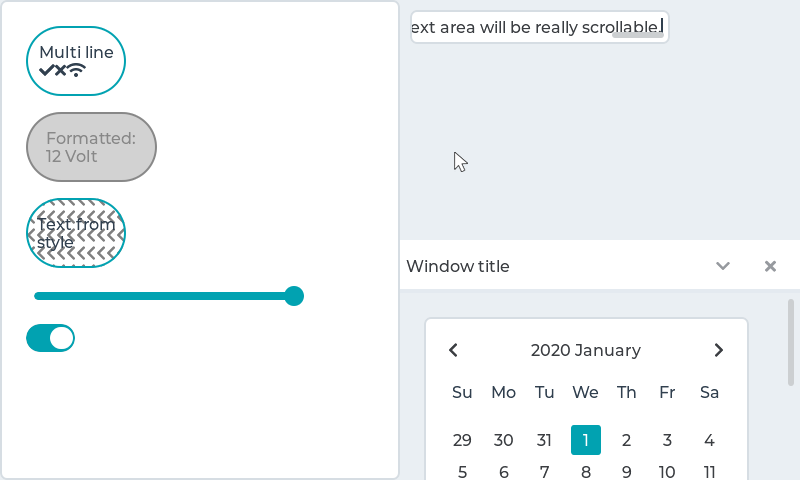
Shows how the widgets look like out of the box using the built-in material theme.
See in [lv_demo_widgets](https://github.com/lvgl/lv_examples/tree/master/src/lv_demo_widgets) folder.
 For running this demo properly, please make sure **LV_MEM_SIZE** is at least **38KB** (and **48KB** is recommended):
```c
#define LV_MEME_SIZE (38ul * 1024ul)
```
### Music player
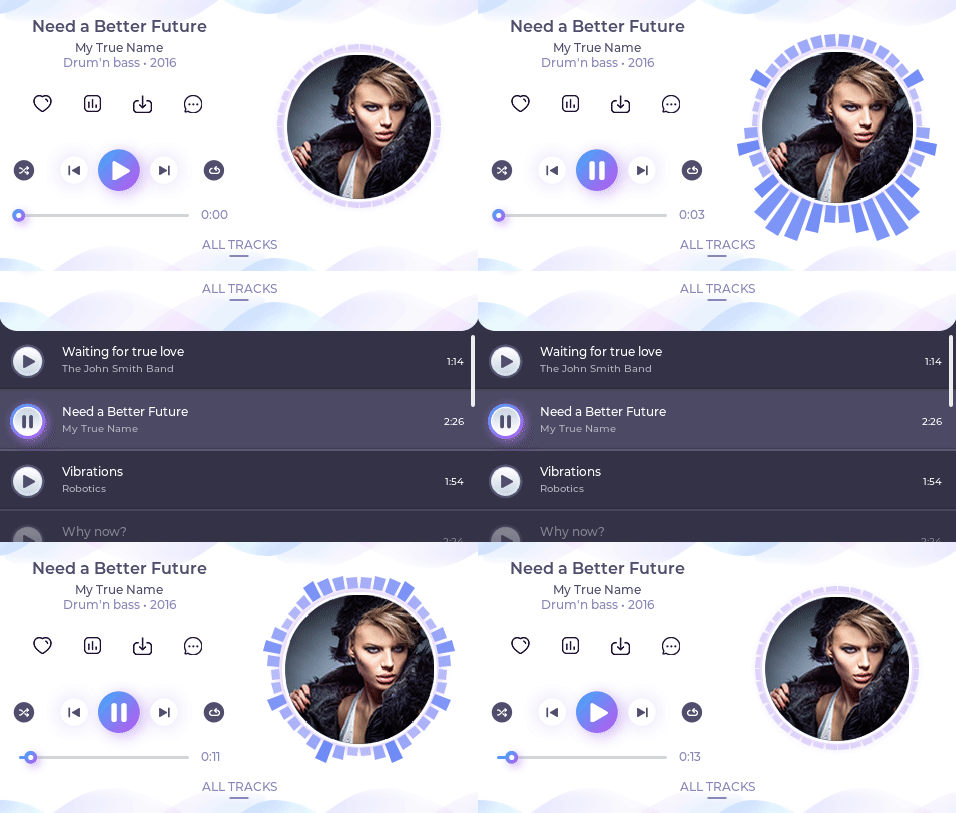
The music player demo shows what kind of modern, smartphone-like user interfaces can be created on LVGL. It works the best with display with 480x272 or 272x480 resolution.
See in [lv_demo_music](https://github.com/lvgl/lv_examples/tree/master/src/lv_demo_music) folder.
For running this demo properly, please make sure **LV_MEM_SIZE** is at least **38KB** (and **48KB** is recommended):
```c
#define LV_MEME_SIZE (38ul * 1024ul)
```
### Music player
The music player demo shows what kind of modern, smartphone-like user interfaces can be created on LVGL. It works the best with display with 480x272 or 272x480 resolution.
See in [lv_demo_music](https://github.com/lvgl/lv_examples/tree/master/src/lv_demo_music) folder.
 ### Keypad and encoder
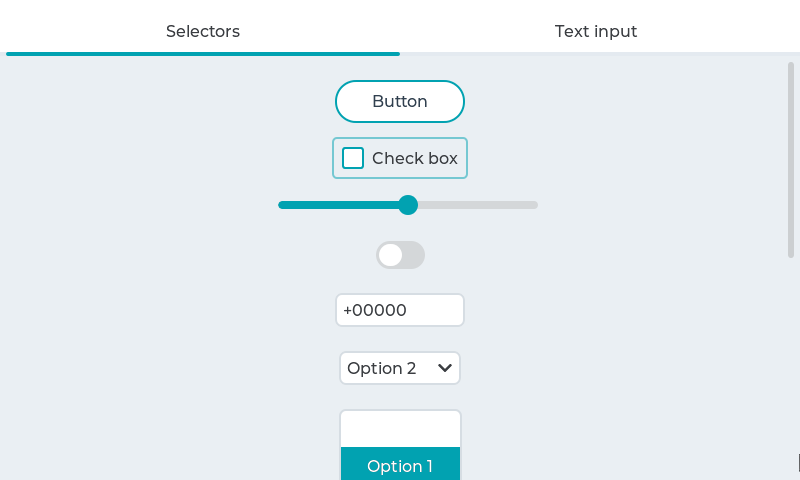
LVGL allows you to control the widgets with a keypad and/or encoder without a touchpad. This demo shows how to handle buttons, drop-down lists, rollers, sliders, switches, and text inputs without touchpad.
Learn more about the touchpad-less usage of LVGL [here](https://docs.lvgl.io/v7/en/html/overview/indev.html#keypad-and-encoder).
See in [lv_demo_keypad_encoder](https://github.com/lvgl/lv_examples/tree/master/src/lv_demo_keypad_encoder) folder.
### Keypad and encoder
LVGL allows you to control the widgets with a keypad and/or encoder without a touchpad. This demo shows how to handle buttons, drop-down lists, rollers, sliders, switches, and text inputs without touchpad.
Learn more about the touchpad-less usage of LVGL [here](https://docs.lvgl.io/v7/en/html/overview/indev.html#keypad-and-encoder).
See in [lv_demo_keypad_encoder](https://github.com/lvgl/lv_examples/tree/master/src/lv_demo_keypad_encoder) folder.
 ### Benchmark
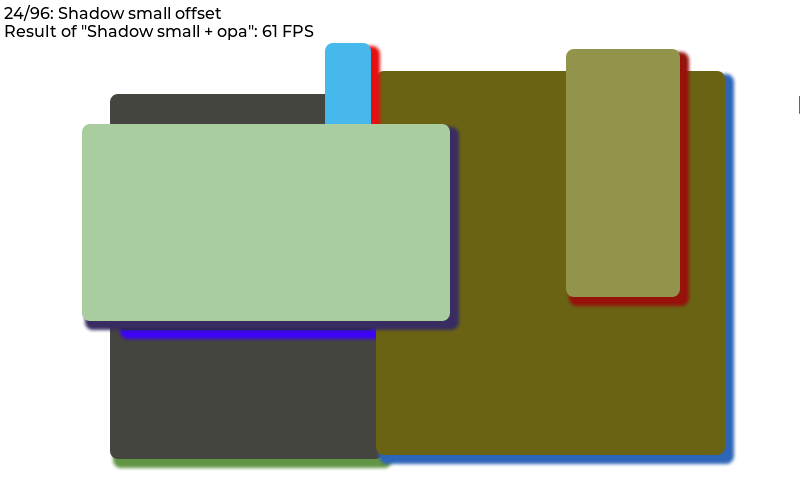
A demo to measure the performance of LVGL or to compare different settings.
See in [lv_demo_benchmark](https://github.com/lvgl/lv_examples/tree/master/src/lv_demo_benchmark) folder.
### Benchmark
A demo to measure the performance of LVGL or to compare different settings.
See in [lv_demo_benchmark](https://github.com/lvgl/lv_examples/tree/master/src/lv_demo_benchmark) folder.
 ### Stress
A stress test for LVGL. It contains a lot of object creation, deletion, animations, style usage, and so on. It can be used if there is any memory corruption during heavy usage or any memory leaks.
See in [lv_demo_stress](https://github.com/lvgl/lv_examples/tree/master/src/lv_demo_stress) folder.
### Stress
A stress test for LVGL. It contains a lot of object creation, deletion, animations, style usage, and so on. It can be used if there is any memory corruption during heavy usage or any memory leaks.
See in [lv_demo_stress](https://github.com/lvgl/lv_examples/tree/master/src/lv_demo_stress) folder.
 ## Contributing
For contribution and coding style guidelines, please refer to the file docs/CONTRIBUTING.md in the main LVGL repo:
https://github.com/lvgl/lvgl
## Contributing
For contribution and coding style guidelines, please refer to the file docs/CONTRIBUTING.md in the main LVGL repo:
https://github.com/lvgl/lvgl